6Sense
- 4.3
- Rating
- 500.00K
- Installs
- Free
- Price

 Analysis by App-foxy
I approached 6Sense as a practical experiment rather than expecting a perfect conversation with an animal. Its focus is unusual: it combines identification with an AI-based pet translator, placing it in the productivity category even though the subject is pets. That combination makes the app most interesting for curious owners who want a quick way to explore what an animal might be communicating, while also using visual recognition as part of the experience.
The first thing I would tell a friend is to keep expectations sensible. This is not a replacement for a veterinarian, a professional animal behaviorist, or careful observation at home. Its value is in helping you notice possibilities and organize your attention. When treated as a playful interpretation tool rather than a scientific decoder, it becomes easier to enjoy and judge fairly.
Getting started without overcomplicating the experience
I’d keep the first session focused on one calm, familiar moment rather than trying every option at once. That makes it easier to tell whether a result is useful, and it gives you a clearer sense of how image quality and the pet’s surroundings affect your interpretation. A small, thoughtful test is a better starting point than treating the app like a puzzle to solve.
You May Also Like

 Blood Strike: 2.5 Anniversary
Blood Strike’s Loadouts Turn Every Drop Into a Tactical Gamble
A close look at Blood Strike’s custom loadouts: how fast access to signature weapons reshapes its battle royale rhythm, rewards preparation, and narrows the gap between fights.

 Pandora - Music & Podcasts
Pandora’s Music Is Easy to Start, but Harder to Recover
Pandora’s strength is its low-effort path from a seed to a station. Its weak spot is how much confidence it asks you to place in connection, setup, and quiet recovery.

 8 Ball Pool
 Is Built on Rivalries, Rematches, and Routine
A close look at the rivalries, rematches, shared routines, and unanswered safety questions that turn a quick pool match into a persistent mobile community.

 Samsung Music
’s Quiet Strength Is Playing What You Already Own
Its reach comes less from spectacle than from dependable access to a personal library. That simplicity is both the app’s strongest retention engine and its ceiling.

 AccuWeather: Weather Radar
AccuWeather Review: A Quick, Clear Forecast for Everyday Decisions
For everyday plans, the best forecast is the one you can understand quickly. AccuWeather makes rain timing, radar, and local conditions easy to act on, with a few trade-offs.

 Hill Climb Racing
Why Hill Climb Racing Still Turns Crashes Into One More Run
A tiny car, a bumpy hill and one more upgrade: Hill Climb Racing keeps resurfacing because its simple chaos makes every near-miss feel personal.
More From Our News Desk



What to expect before the first scan
6Sense is made by Mechideas and is available as a free app for everyone. It has reached over 500 thousand installs and holds an average rating of 4.3 from around 13 thousand ratings, which suggests that the basic idea has attracted a substantial audience. The app was released on January 17, 2024, and version 1.7.4 is the version I considered while reviewing its current experience.
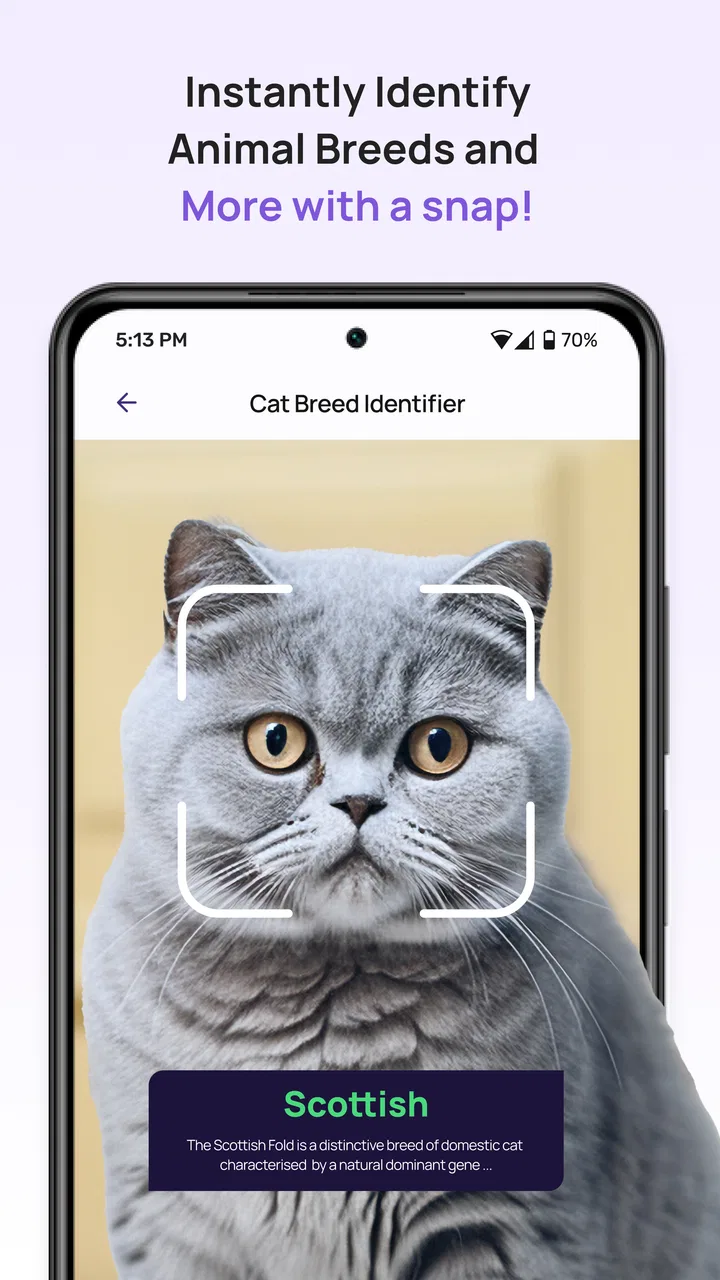
The store summary describes it as an identification and pet translator AI, while the short description is simply “6Sense.” In practical terms, I would think of it as a small toolkit for looking at an animal and trying an AI interpretation, not as a complete pet-care platform. That distinction matters because someone searching for feeding schedules, vaccination reminders, training plans, or medical records will probably want a dedicated pet-management app instead.
The free entry point is helpful because it lets a new user understand the concept before deciding whether it belongs in a regular routine. There are in-app purchases ranging from around twelve dollars to around forty-nine dollars per item, so I would pay attention to any purchase screen and make sure I understood what was being offered before confirming anything. The app is suitable for an Everyone audience, and it requires Android 9 or later.
My strongest advice is to begin with a calm, ordinary situation. A relaxed dog sitting in good light is a better starting point than a fast-moving cat, a crowded park, or a dim room. AI identification and interpretation are both sensitive to the quality of what you provide. A rushed test can make the app seem less useful than it really is.
The first setup: prepare the phone and the subject
After installing, I would keep the first session deliberately short. Have the pet nearby, clean the camera lens, and choose a position where the animal is visible without forcing it to pose. If your pet dislikes phones, do not chase it around the room for a better result. The app should fit into the animal’s normal behavior, not make the behavior unnatural.
Before using any interpretation, decide what you are actually trying to learn. “What is my pet saying?” is too broad to judge well. A more useful question is whether the animal appears relaxed, alert, playful, uncomfortable, or interested in something. A focused question gives you a better basis for comparing the app’s output with what you can already see.
This is one of the less obvious ways to get more from 6Sense: separate identification from interpretation. First, use the visual side to examine what is in front of you. Then consider the translator as a suggestion about mood or intent. Mixing both steps into one quick tap can encourage you to accept a confident-sounding result without checking whether it matches the animal’s posture, ears, tail, breathing, and surroundings.
I also recommend trying a familiar subject before testing an unfamiliar animal. With your own pet, you have context. You know whether a particular look usually means hunger, boredom, fear, or a desire to go outside. That background lets you evaluate the app instead of treating every result as a revelation.
Reaching the first meaningful result
A realistic first success would be a simple observation that helps you pause and look more carefully. For example, imagine your dog standing near the door after a noisy delivery. You could capture the animal when it has settled, review the app’s interpretation, and then compare that suggestion with the dog’s body language. If the result points toward alertness or attention, the useful part is not that the phone has proven the dog’s thoughts. The useful part is that it prompts you to connect the behavior with the recent sound and the animal’s environment.
That workflow is more valuable than repeatedly tapping for different answers. Take one clear input, read the result, and check it against what happened immediately before. If your pet then relaxes, drinks water, moves away from the door, or asks to play, those actions provide better context than the AI alone.
For identification, choose images with the animal centered and unobstructed. Avoid using a picture where another pet, patterned furniture, or a busy background competes for attention. If the result seems surprising, repeat the process with a different angle rather than immediately assuming the first answer is correct. This is a practical trade-off: a little patience improves the quality of your test, but it also means the app is not always a one-second answer machine.
A second useful workflow is to compare two moments instead of collecting many random outputs. Try one image while your pet is resting and another after a familiar activity such as play or a walk. The contrast may help you notice how much the situation changes the interpretation. I would not treat the comparison as a measurement, but it can make the app a more thoughtful observation aid.
Where the experience can become confusing
The phrase “pet translator” naturally creates a high expectation. It can sound as though the app converts animal communication into dependable sentences. I would resist that reading. Animal behavior is shaped by context, health, training, breed, age, surroundings, and individual personality. An AI output may be entertaining or suggestive, but it cannot remove that complexity.
This matters most when the result conflicts with visible behavior. If a cat is hiding, refusing food, limping, breathing unusually, or showing another worrying change, do not use a reassuring translation to dismiss it. Likewise, an alarming interpretation should not be treated as a diagnosis. In those situations, direct observation and professional veterinary advice are more appropriate than any phone-based reading.
Another possible source of confusion is the difference between recognition and certainty. An identification result may look precise because it is presented clearly, but clarity of presentation is not the same as proof. Use it as a prompt to inspect the image and consider whether the answer fits. If the picture is blurry, poorly lit, or taken from an unusual angle, the sensible response is to improve the input.
Purchase prompts can also interrupt the relaxed feeling of experimentation. Since the app is free to install but includes paid items, I would avoid tapping through quickly when exploring additional options. Read the wording on each screen, check whether the action is part of the free experience or a purchase, and decide whether the extra function is genuinely useful for your purpose. A free starting point is valuable only when the user remains in control of the next step.
How I would use it in everyday life
For a first-time owner, 6Sense can be useful as a conversation starter with yourself: what was happening before the behavior, what did the animal’s body language show, and did the interpretation fit? This is especially helpful when several household members describe the same pet differently. Instead of arguing over whether the animal is bored or anxious, you can observe the situation together and compare the app’s suggestion with the evidence around you.
It may also suit children when an adult guides the activity. The Everyone age rating makes the app approachable, but an adult should explain that animals do not necessarily produce human-style messages and that the result is not a fact. Used that way, the app can encourage patience and empathy: watch first, interact gently, and respect signs that a pet wants space.
A less obvious use is documenting patterns without turning the process into a laboratory test. You could make occasional notes about the setting, the animal’s behavior, and the interpretation you received. Over time, the notes may help you recognize that a certain reaction happens after visitors arrive, during loud weather, or when the usual routine changes. The insight comes from the combination of observation and reflection; 6Sense is only one part of that process.
That approach also shows where the app is not the right choice. If your main goal is reliable health monitoring, training instruction, household task management, or a searchable record of appointments, choose an app built specifically for that job. A standard camera app is better when you only need photos. A pet diary is better when you want consistent records. A trainer or veterinarian is better when behavior is persistent, risky, or connected to possible illness.
How it compares with familiar alternatives
Compared with a normal camera, 6Sense adds interpretation and identification instead of stopping at image capture. That makes it more engaging when you want to ask a question about what you are seeing. The trade-off is that a camera gives you a neutral record, while an AI interpretation can influence how you view the same behavior. If accuracy and documentation matter more than curiosity, the simpler tool may be preferable.
Compared with conventional pet-care apps, this one is narrower but more distinctive. It does not need to become a full planner to be interesting. Its appeal comes from the unusual combination of looking at an animal and offering a translation-style response. The downside is that it may feel limited after the novelty fades, especially for owners who want concrete routines and long-term tracking.
Compared with searching the web, the app offers a quicker, more direct interaction with the animal in front of you. However, web resources from veterinary and animal-behavior professionals are usually the better choice when you need evidence-based explanations. I would use 6Sense to generate questions, then use trusted professional guidance to answer serious ones.
Small habits that make the app more useful
Use consistent conditions when comparing results. Similar lighting, distance, and framing make it easier to judge whether a change comes from the animal or simply from a different picture. This is not a guarantee of accuracy, but it reduces avoidable noise in your own experiment.
Do not provoke a reaction just to obtain a more dramatic translation. Teasing, startling, restraining, or repeatedly interrupting a pet can create behavior that says more about the test than the animal’s normal state. The best inputs are usually the least theatrical ones.
Finally, treat surprising outputs as invitations to investigate, not commands to act. Look around the room, remember what happened recently, and watch what the pet does next. This habit keeps the app entertaining while protecting you from overconfidence.
My recommendation after using it
I would recommend 6Sense to curious pet owners who enjoy experimenting with AI and are willing to interpret results alongside real animal behavior. The free starting point, approachable age rating, and focused concept make it easy to try, while its current 4.3 average indicates that many users find enough value in the experience to rate it positively.
I would skip it if you expect literal translations, medical certainty, or a complete pet-management system. It is also a poor substitute for professional help when an animal’s health or safety is involved. Those limits are not minor details; they define the responsible way to use the app.
For me, the best path is simple: start with a calm pet, provide a clear image, ask a narrow question, and compare the result with the animal’s surroundings and body language. If you keep that perspective, 6Sense can turn an ordinary moment at home into a more attentive observation. Its real strength is not proving what a pet thinks, but encouraging you to watch more carefully before you decide what the behavior means.
FAQs for 6Sense
01What is 6Sense, and what is it used for?
6Sense is a B2B revenue intelligence and account-engagement platform designed to help marketing and sales teams identify promising companies, understand buying intent, and prioritize outreach. It typically combines account data, website activity, intent signals, predictive analytics, and campaign tools in one workspace. Before downloading or requesting access, users should know that it is primarily a professional business solution rather than a general-purpose consumer app.
02Is 6Sense free to download and use?
6Sense is generally offered as an enterprise or business service, so access is usually arranged through an organization, sales representative, or company subscription rather than a simple free download. Pricing may depend on the number of users, selected features, data requirements, and contract terms. Some demonstrations or trial experiences may be available, but users should confirm current pricing and eligibility directly with 6Sense before making a commitment.
03What information does 6Sense collect and analyze?
The platform may process business contact information, company and account details, website interactions, advertising engagement, campaign responses, and other signals used to estimate purchase interest. The exact data available depends on the customer’s configuration, integrations, region, and applicable permissions. Organizations should review 6Sense’s privacy documentation, data-processing terms, and internal compliance requirements before connecting CRM, marketing automation, advertising, or website systems.
04Can 6Sense integrate with CRM and marketing tools?
6Sense is designed to work alongside common sales and marketing systems, allowing teams to synchronize account information, engagement signals, audiences, campaign activity, and sales priorities. The usefulness of these integrations depends on the products your organization already uses, the available connectors, and the quality of your existing data. Setup may require administrator permissions, field mapping, workflow planning, and ongoing maintenance to avoid duplicate or inaccurate records.
05Who should use 6Sense, and what should teams know before adopting it?
6Sense is best suited to B2B organizations with structured sales and marketing processes, defined target accounts, and enough data to support account-based strategies. It can be valuable for demand-generation teams, account executives, revenue operations, and marketing leaders, but it may feel excessive for small businesses with simple lead workflows. Successful adoption also requires training, clear ownership, accurate CRM data, and realistic expectations about predictive intent signals.
Pros
- Connects users with a broad professional networking community.
- Useful for discovering industry insights and account intelligence.
- Supports collaboration between sales and marketing teams.
- Can help prioritize high-value business opportunities.
- Cloud-based access makes information available across devices.
Cons
- Most features are designed for business users
- not casual individuals.
- Requires accurate company data to deliver useful recommendations.
- Advanced tools may involve a steep learning curve.
- Value can depend heavily on your organization’s existing sales stack.
- Some functionality may require a paid enterprise subscription.

6Sense
Gallery